
How do I set up a Tradable Bits integration?
This quick guide will walk you through connecting your Community account to Tradable Bits for a seamless data transfer.
Prerequisites
- You must have access to an active Community account with API permissions.
- You must have access to your Tradable Bits account.
NOTE: When pushing fans to the Community endpoint, your fans will receive OPT-IN SMS messages.
Set Up Steps
We'll begin on the Community side and then move on to complete the set up in Tradable Bits!
Community
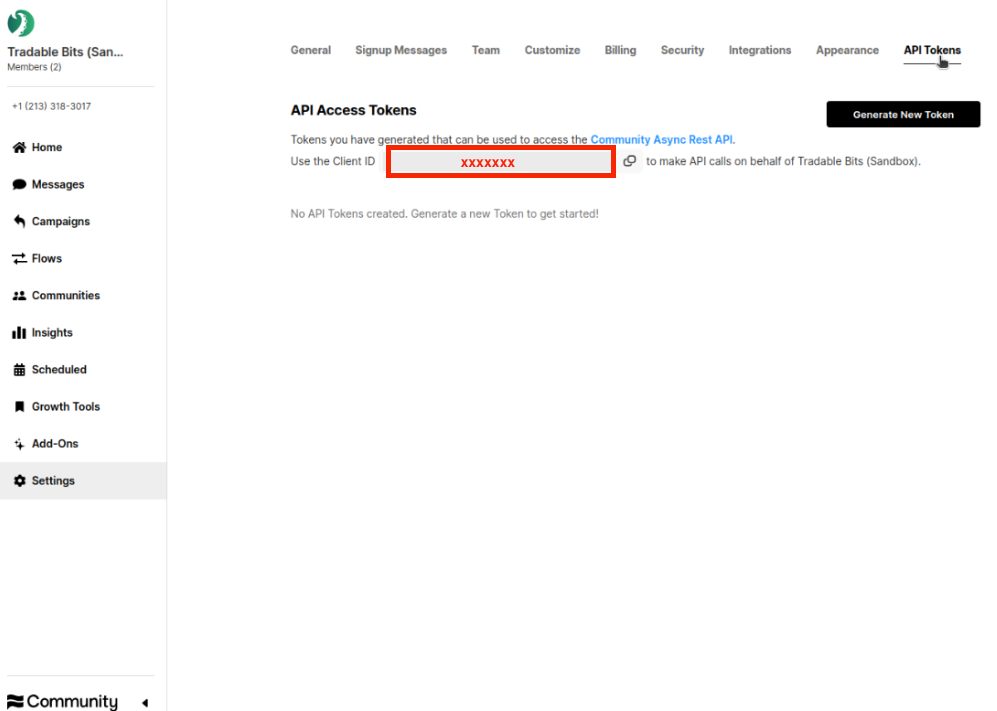
- Log in to your Community dashboard and navigate to Settings>API Tokens
- If you do not see the API Tokens tab in Settings, please read about how to get access here Getting API Access, Tokens, and Authentication here. API access must be added to your specific seat.
- Copy your Client ID
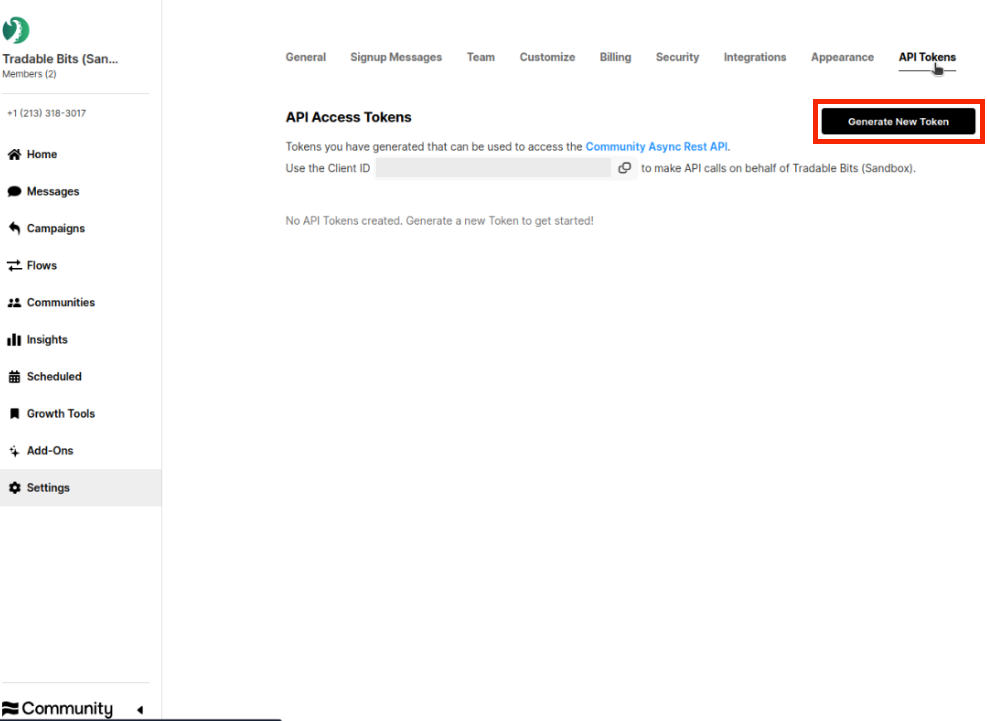
- Generate a new API Token
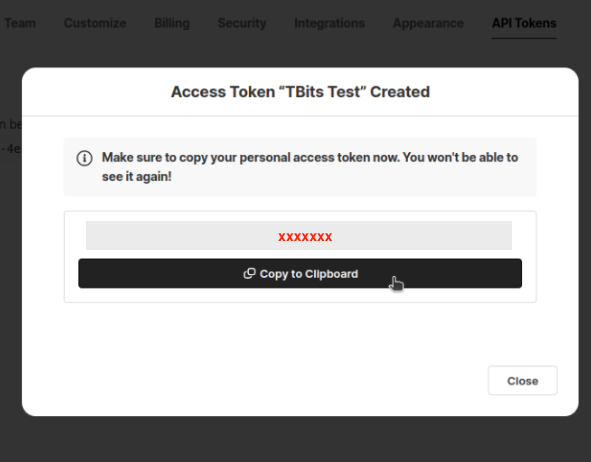
Be sure to take note of and secure your new Access Token somewhere secure as you will need it to complete the set up on the Tradable Bits side and you will not be able to view again.
That's it for the Community set up! Now you can move on to complete the set up in your Tradable Bits account.
Tradable Bits:
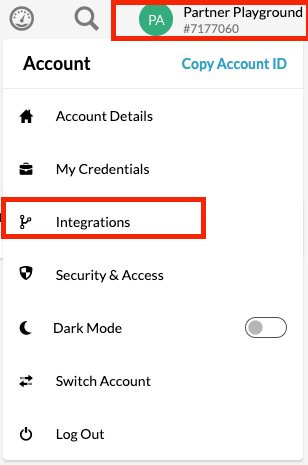
- Login in to your Tradable Bits account and click on your Account Details in the top right corner
- Select Integrations from the dropdown menu.
- Select Outgoing Integrations from the menu on the left
- Hit the +New button and select Community from the dropdown menu

- Name your integration and input the Client ID and API Key (access token) that you generated in steps 2 and 3 of the Community set up
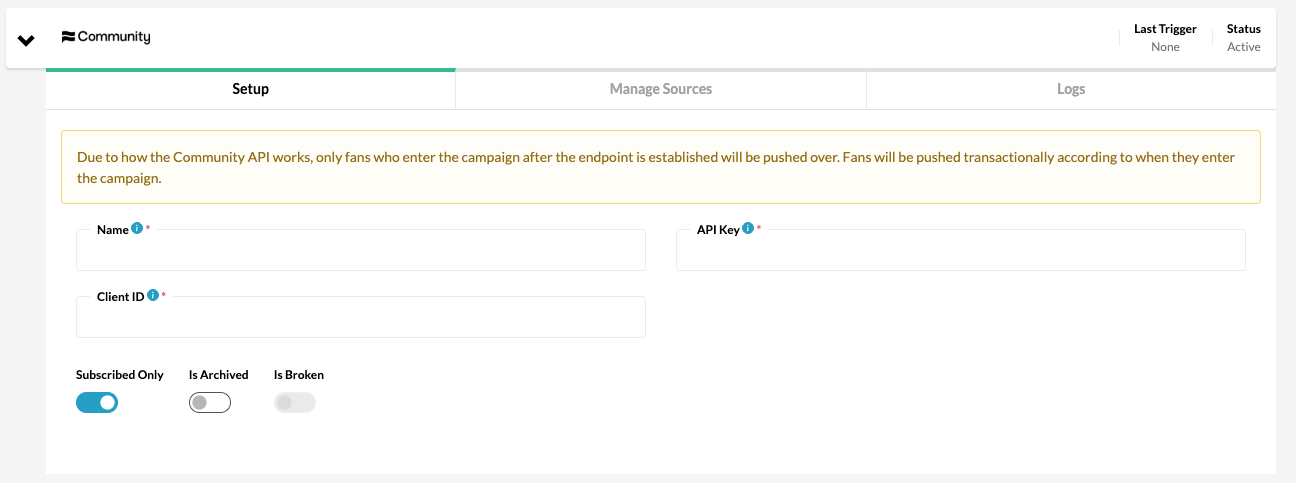
- Click in to the Manage Sources tab to select the source types and values that you want pushed over to Community. Any tags sent as the source will be created and segment fans into sub-communities on the Community platform.
- Test your integration to ensure proper connection

That's all! If you need further assistance setting up your integration, please reach out to your Customer Success team!
Contact: [email protected] for Community support.
Contact: [email protected] for Tradable Bits support.